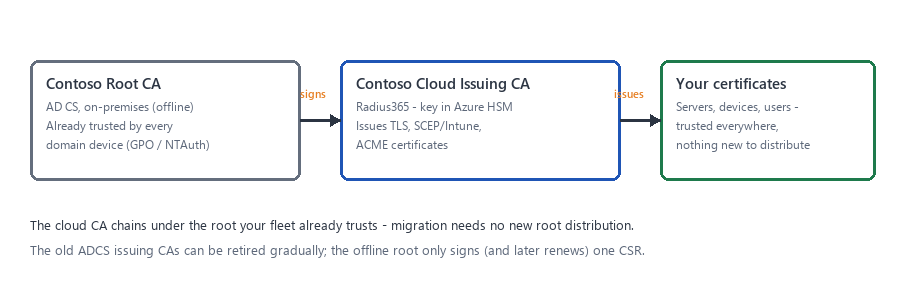
Inventory the root and plan the chain.
A confirmed ADCS root, the account that can sign a Subordinate CA request, and a named subject for the new issuing CA.
Before you begin
Your ADCS root CA is reachable — Enterprise (with certsrv/RPC access) or a standalone/offline root.
An account allowed to submit and issue a Subordinate Certification Authority request on it.
Do this
- 01
Identify the root: Enterprise CA (has the built-in SubCA template) or standalone/offline root (no templates, requests are issued manually in certsrv.msc).
- 02
Decide the subject for the new issuing CA, e.g. CN=Contoso Cloud Issuing CA, O=Contoso, C=US.
- 03
Decide what it will issue first — SSL for TLS/ACME or SCEP for Intune/MDM — the template picked in Radius365 later.
- 04
Confirm every device that must trust the new CA already trusts the ADCS root (GPO, NTAuth, RADIUS/VPN configs).